- The Filament Feed
- Posts
- Bambu Lab’s Maker World beta test for keychain generator
Bambu Lab’s Maker World beta test for keychain generator
And firmware updates for Bambu Lab Machines

👋 Welcome to The Filament Feed!
Today’s top story: We double up on Bambu Lab news with their new Maker World image to keychain maker beta, and firmware updates for Bambu Lab machines.
🤩 Hobbyist 3D Printing
Bambu Lab looking for beta testers for Maker World image to keychain utility - Link
A post on Reddit From the official Bambu Lab account is calling on people to test out their newest tool on Maker World. The tool is an image to keychain generator. How it works is you enter the photo you want to turn into a keychain and it will match the vectorized image to colors of filaments you have available.
You can also switch colors, adjust thickness, and even hollow out certain areas to create cool effects. Click the link above to go to the Reddit post or click here to go to the link to sign up for the beta!
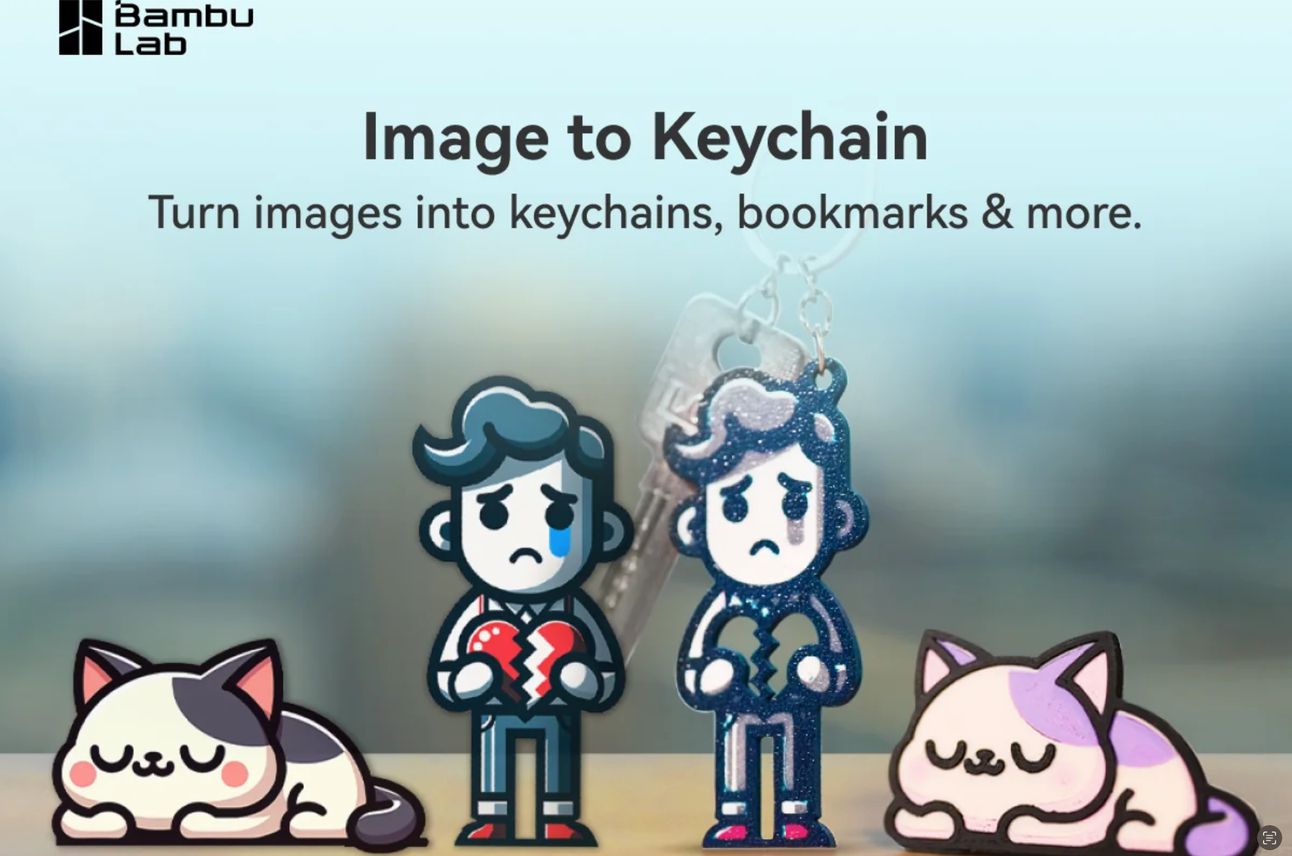
Maker World Image to Keychain tool (Courtesy Bambu Lab)
Bambu Lab pushes out firmware updates to their 3D Printers - Link
Bambu Lab pushed an OTA update to some of their 3D printers yesterday. The new version is v01.08.00.00 and has many new features and bug fixes. Below is a list of what was present in Bambu Studio for release notes. The big thing were filament verification and the use of third party custom filaments on the Bambu Handy app. The rest were mostly bug fixes for quite a few different issues. Check out the list below:
Added filament verification for "Reducing purging through retracting filament" function A long retraction during filament change can significantly reduce the purge volume, but it may cause clogging when the filaments assigned in the sliced file do not completely match the actual filaments in use. The filament verification function will verify the filaments match before performing retraction. This function needs to be used with the slice files generated by Bambu studio v01.09.00.67 and above.
Added support for using third-party custom filaments on the Bambu Handy side Add third-party custom filaments to the Bambu Studio filaments library. You can set the existing filament type on the Bambu Handy side to the third-party custom filaments added in Bambu Studio.
Optimized the AMS hygrometer Icon.
Support the display of newly released translucent filaments in Mosaic style corresponding to the colors
Improved firmware update issues
Added support for network connections under the 802.11w protocol
Optimized wifi connection stability
Optimized the filament auto-mapping logic when printing with AMS. The color slot that cannot be mapped would need to be manually assigned filament before printing
Optimized ntp time synchronization ## [Bug fix]
Fixed the live-view lagging issue caused by a WiFi driver bug
Fixed intermittent connection failure when switching from encrypted to non-encrypted connection
Fixed the video resolution switch glitch problem: when switching resolutions, the resolution switch displays glitching intermittently between different resolutions
Fixed the problem that the light on the toolhead is not correctly turned off after the print completion. In conjunction with Bambu Studio v01.09.00.70 and above
Fixed the abrupt fan speed transition problem when the chamber cooling fan automatically adjusts the speed according to the starting Gcode of certain filaments
Fixed the false alarms of extrusion failure caused by reducing purge through retracting filament function
Fixed screen memory leak issue
Fixed the problem of automatic temperature control failure after power-loss recovery
Fixed the false report of abnormal temperature control when the heating bed is set to 120 °C. ## [Pending issues]
After upgrading to the latest version (v1.8.0.0), Bambu Studio may falsely report that there is a new version available. Clicking on the upgrade button at this point will result in a failed upgrade. (The prompt for the new version of the device is based on the printer screen and Bambu Handy)
🏭 3D Printing Industry
New AI being developed to help drive new 3D printed products (7 minute read) - Link
Industrial engineers are developing AI to improve 3D printing for furniture. This includes creating an AI system that optimizes printing speed based on material and temperature, ensuring high-quality results.
For designers, the future involves describing furniture in plain language, with the AI translating those words into printer instructions. This allows for true customization and a seamless blend of function and aesthetics.
Sustainability is also a focus. Researchers are working with a furniture company to incorporate recycled materials and equip furniture with tags for easy repurposing, minimizing waste. This research aims to create a more efficient,customizable, and eco-friendly future for 3D printed furniture.
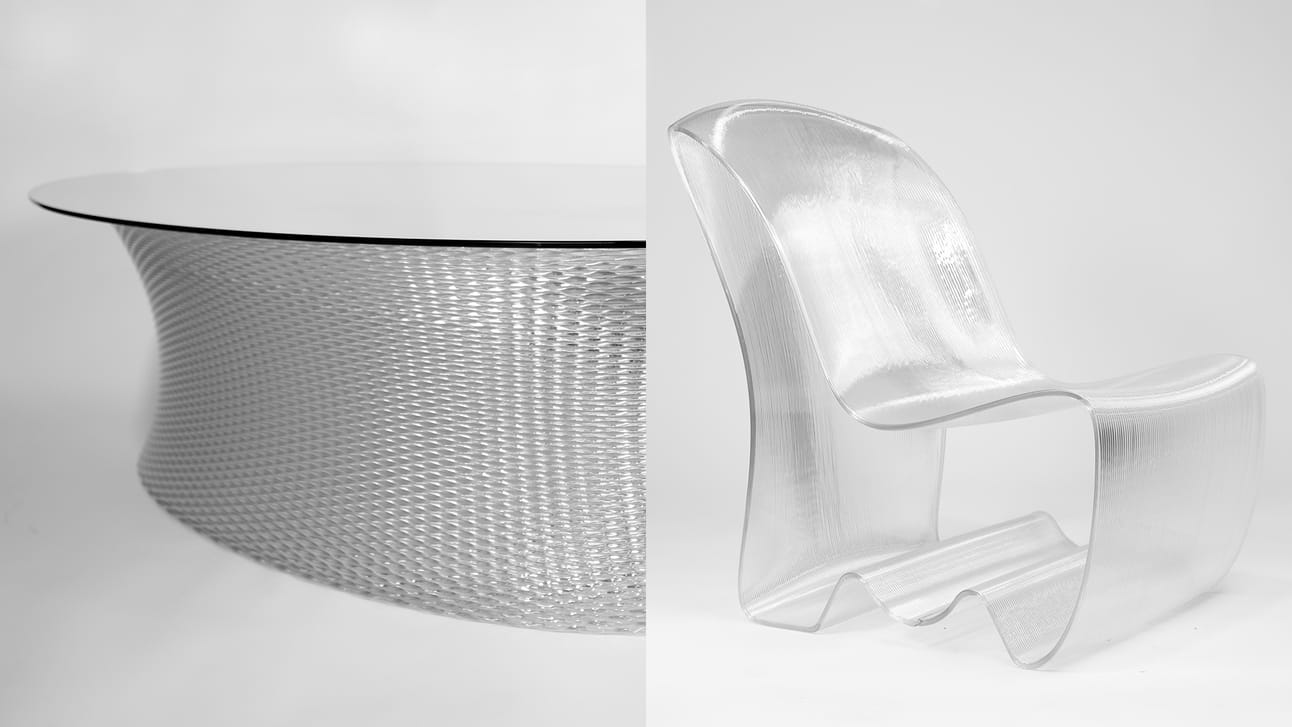
One of the hopes is to drive sustainability by allowing customers to return old furniture and reuse the material for something new.
Large Volume VFGF extrusion printer produces full cockpit assembly (4 minute read) - Link
A new 3D printing method is revolutionizing cockpit production. The VFGF method uses a Queen 1 printer to create large, modular components quickly and cost-effectively.
Previously, cockpits required expensive molds and long lead times. FDM printers were also unsuitable due to limitations in size and material costs.
The VFGF method eliminates tooling costs and allows for faster turnaround times. It can also use more affordable granulate materials compared to filament used in FDM printers.
A recent project used the Queen 1 to create a 2.2 meter wide cockpit assembly in just over a month. The cockpit is made of a strong, lightweight material and can be easily disassembled for transport.
This new technology offers many benefits for manufacturers, including faster production times, lower costs, and the ability to create complex geometries.
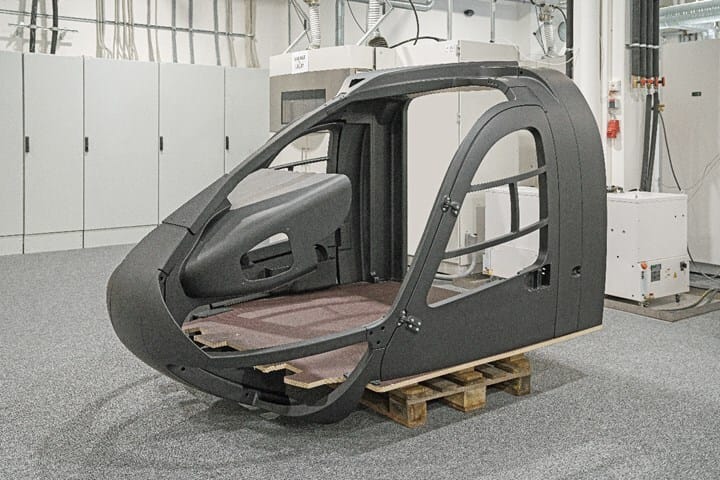
3D printed cockpit (Courtesy Murtfeldt AS)
😎 Cool 3D Prints
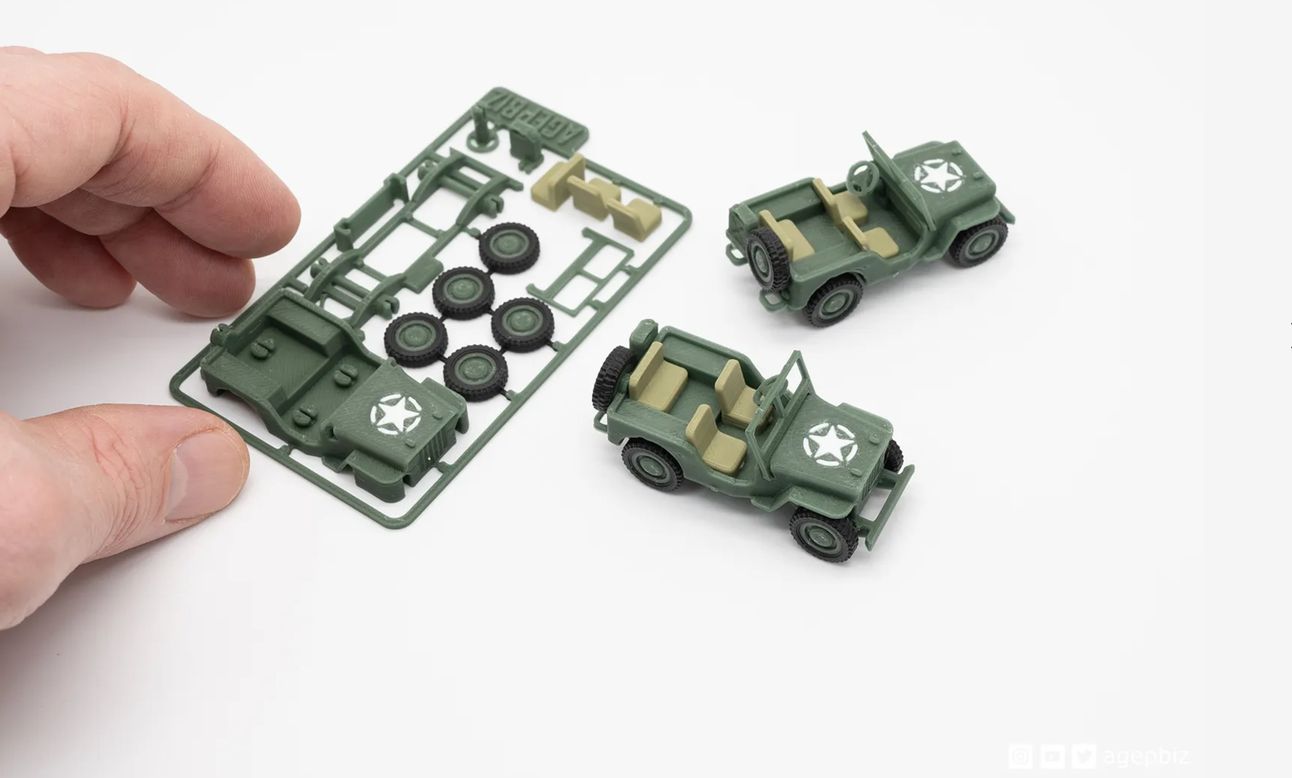
Card kits are always some of our favorite prints. There’s something so nostalgic about these card kits. In this kit, Agepbiz has put together a beautiful US Army jeep. For those of us that use to put these types of things together as a kid, it’s fun to be able to print these out and share them with our kids. Print one out and remember the good ol’ days while you put this together.
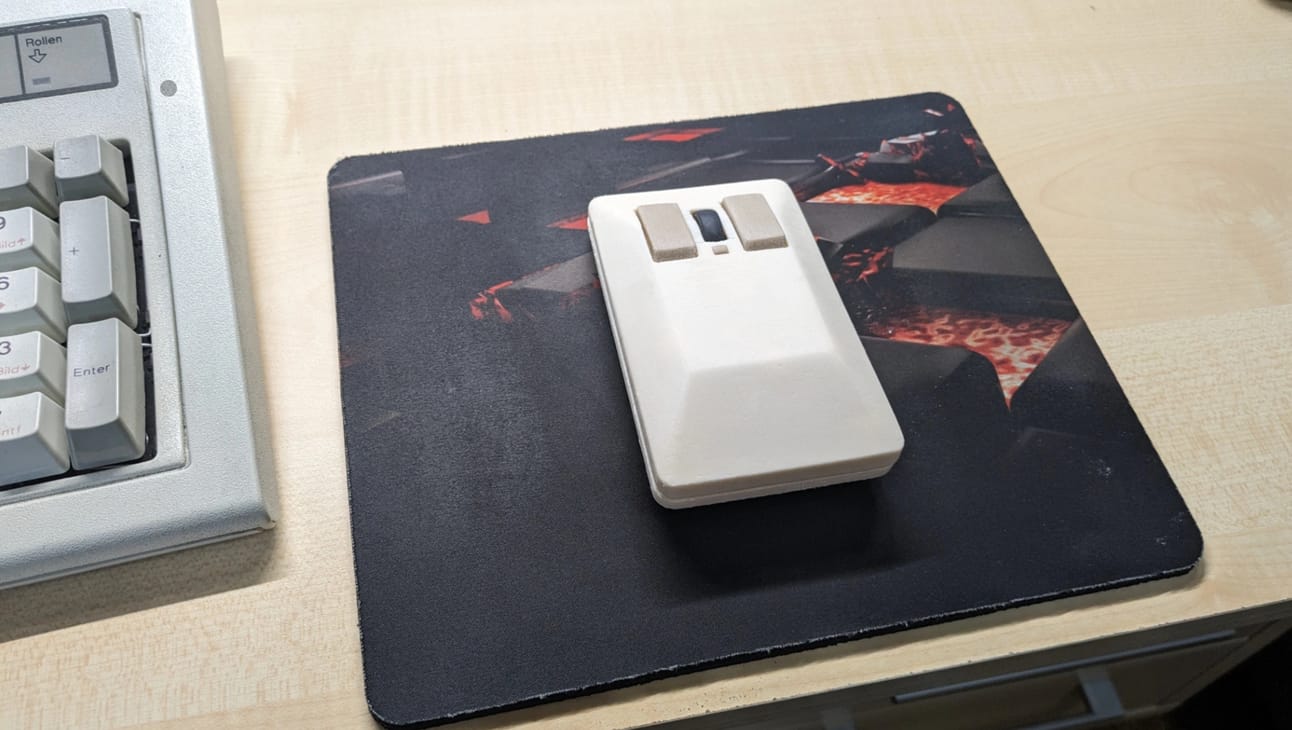
Amiga Tank Mouse (motor-fuzzi on Maker World) - Link
Speaking of throwbacks! This is motor-fuzzi’s take on the Commodore Amiga 1351 Tank mouse. The cool part about this is that it utilizes the Bambu Lab’s mouse components kit (found here). The author provides some instructions for putting it together as well at the Maker World link above. For those of you that want to reminisce of the good ol’ days, this will definitely help!
🔗 Quick Links
Product of the Week
🛠️ Bambu Lab P1S - Link
The ever popular Bambu Lab P1S is in the spotlight this week. This all-in-one solution delivers exceptional quality and speed, perfect for both hobbyists and professionals.
Key features include:
Fast and Easy Setup: No calibration hassles, just hit print and go.
Exceptional Print Quality: Enclosed design, auto bed leveling, and direct-drive extruder for consistent, high-quality results.
Large Build Volume: Create bigger and more complex projects (256 x 256 x 256mm).
High-Speed Printing: Achieve unmatched printing speeds with CoreXY technology and 20,000 mm/s² acceleration.
Multi-Color Printing: Unlock a world of creative possibilities with the optional Bambu Lab AMS, supporting up to 16 colors.
Built-in Camera Monitoring: Keep an eye on your prints remotely.
Flexible Bundles: Choose from Basic, Professional, and Print Farm options to fit your needs.

🤩 Recent Slicer Updates
OrcaSlicer - 2.0 Official - 3/30/2024 -(GitHub)
Cura - 5.7.1 - 4/24/2024 (GitHub)
PrusaSlicer - 2.7.4 - 4/5/2024 (GitHub)
Bambu Studio - 1.9.1 Public Beta 4 - 4/25/24 (GitHub)
📢We love your feedback!
Just reply to this email and tell us what you like or didn’t like. Let us know what sections you are enjoying and what sections just aren’t interesting or sections to add. We want this newsletter to be for the people, and news important to our audience is news important to us.
You can always send an email to me, Alex, at [email protected]
Until tomorrow!
Disclosure: We partner with great companies that offer products that help our readers achieve their 3D Printing goals! If you purchase through our partner links, we get paid for the referral at no additional cost to you! For more information, visit my disclosure page. Want to advertise? Reach out to [email protected] for more information.
Reply